Tracking with Scrybe
Once you install the scrybe pip package, it automatically starts uploading all artifacts to the dashboard.
Viewing experiments
The experiments tab is a detailed log of your work. By default all experiments are private, so should be visible only to you. All your experiment runs are automatically tracked within the Experiments tabs by default such as in the image below.

Viewing plots
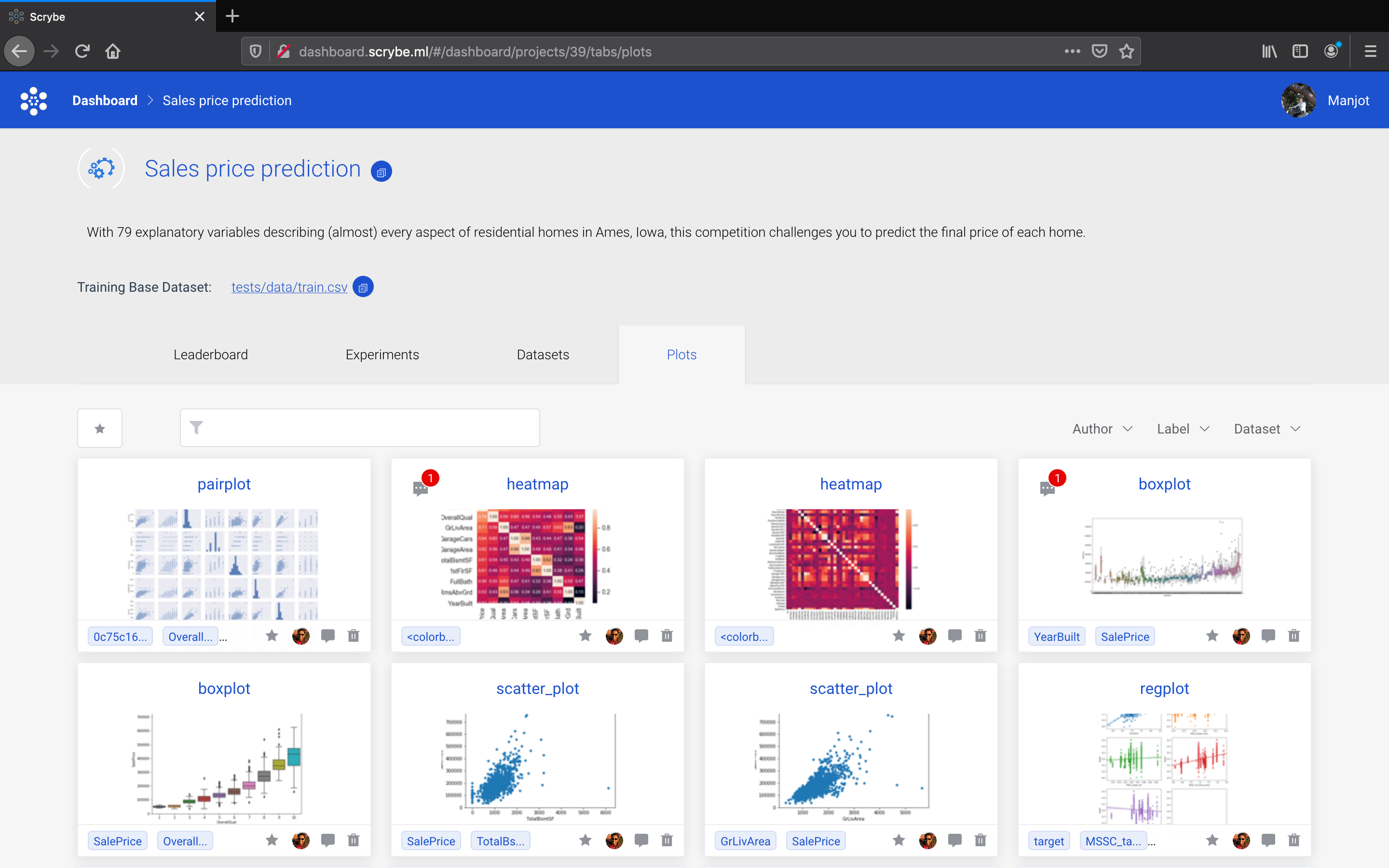
Your plots should be automatically captured in the plots tab as shown in the image below.
Viewing datasets
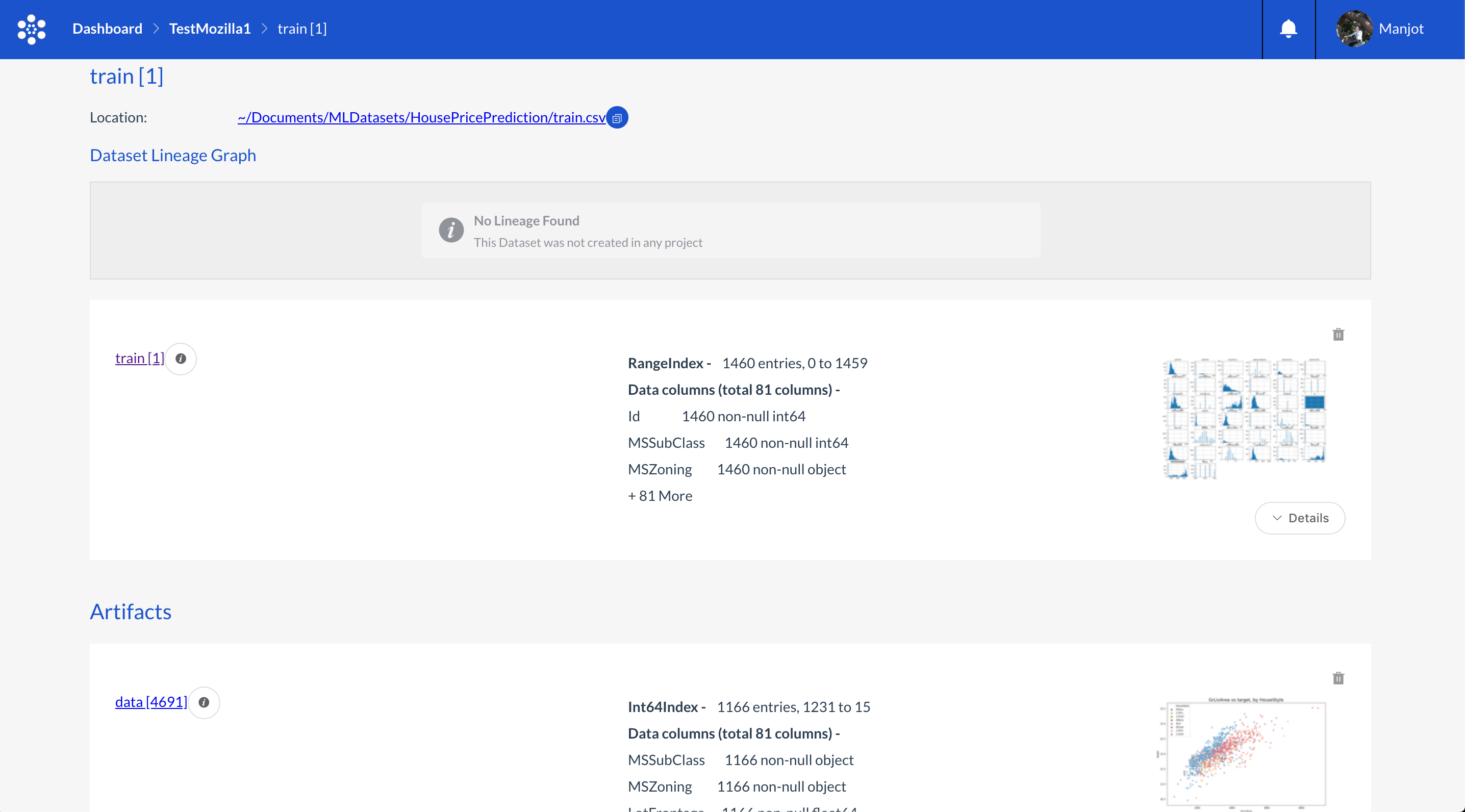
Your datasets should be automatically captured in the datasets tab as shown in the image below. THe top most dataset is the golden one you load in the beginning, the artifacts below that are the datasets that were created as a result of modifying the original dataset.
For a deep dive into the datasets, click on the arrow to get information about all the columns, stats, covariance, correlations stats and plots associated with the dataset.
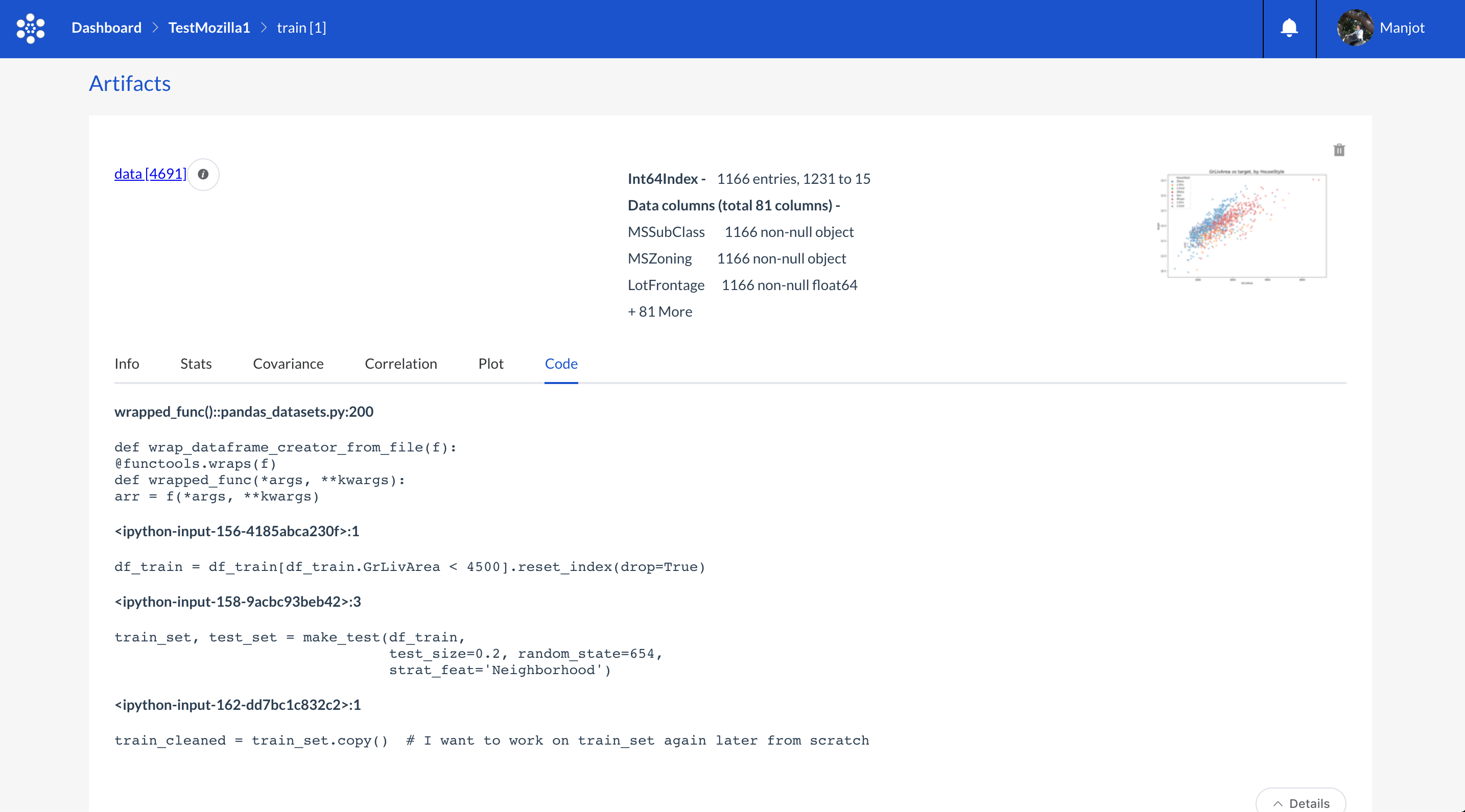
To get a lineage of all the code that was used to transform the dataset, click on the code lineage tab. You should be able to view all the code associated with transforming the golden dataset to the one you’re viewing.